Hardware Control
Step 1
For verifcation of servos
check if you have a folder mini_pupper_web_controller, delete it if you see it, then run the following commands
git clone https://github.com/lbaitemple/mini_pupper_web_controller
cd mini_pupper_web_controller/webserver
bash ./full_install.sh
Step 2
Open another browser tab, type http://[ip_address]:8080 (e.g. http://10.106.249.227:8080)
Tug-of-War Interface
The Tug-of-War interface allows you to interact with Mini Pupper in a fun tug-of-war game mode.
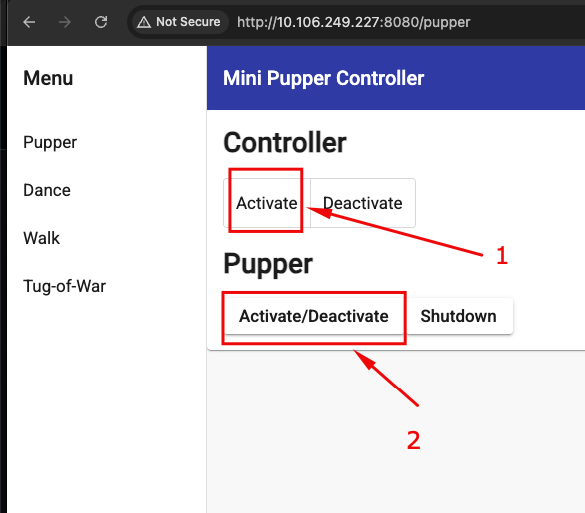
Step 1: Activate the Robot
Open a browser and navigate to http://[ip_address]:8080. Click on the Pupper tab to activate the robot and servos.
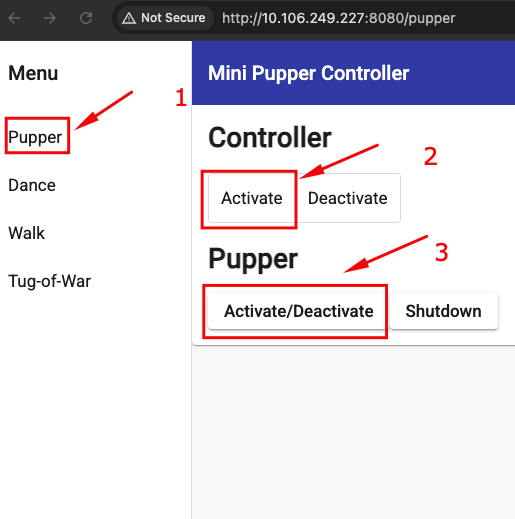
Step 2: Run the Tug-of-War
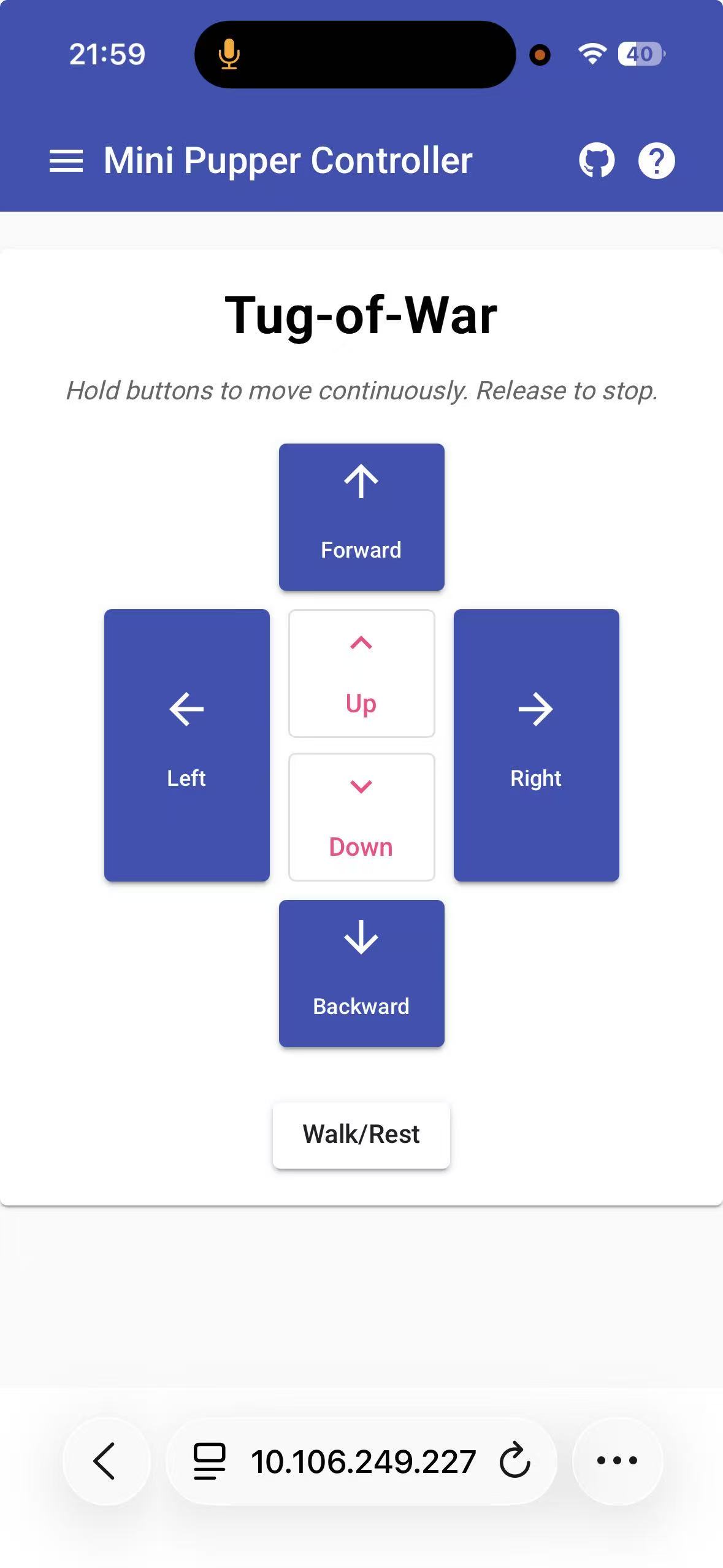
Click on the Tug_of_war tab to control and move the robot.