Lab5: Mini Pupper Dance Choreography
Introduction
In this lab, you will learn how to program dance movements for the Mini Pupper using the Flexible Programmable Choreography (FPC) APIs. These APIs allow you to create custom movement sequences, from simple head movements to complex choreographed dances with music.
There are 3 levels of APIs:
- Level 1 (Beginners): Simple APIs without input parameters
- Level 2 (Makers): APIs with input parameters for fine control
- Level 3 (Advanced): Delicate control of foot locations, speed, and attitudes
Prerequisites
- Mini Pupper with Ubuntu installed
playsoundlibrary for music playback- Socket communication modules
Getting Started on Mini Pupper
Step 1: SSH into Mini Pupper
From your computer, connect to your Mini Pupper via SSH:
ssh ubuntu@<minipupper-ip-address>
Replace <minipupper-ip-address> with your Mini Pupper’s IP (shown on the LCD screen).
Step 2: Navigate to the Jupyter Client Directory
cd /home/ubuntu/mangdang/StanfordQuadruped/Jupyter\ Client
Step 3: Start Jupyter Notebook Server
jupyter notebook --ip=0.0.0.0 --no-browser
You’ll see output like:
http://127.0.0.1:8888/?token=abc123...
Step 4: Open the Notebook in Your Browser
On your computer, open a web browser and navigate to:
http://<minipupper-ip-address>:8888
Enter the token from the terminal output when prompted.
Step 5: Open and Run the Notebook
- Click on
Jupyter Client for Mini Pupper.ipynb - Run each cell sequentially using
Shift + Enter - Watch your Mini Pupper dance!
Example Output
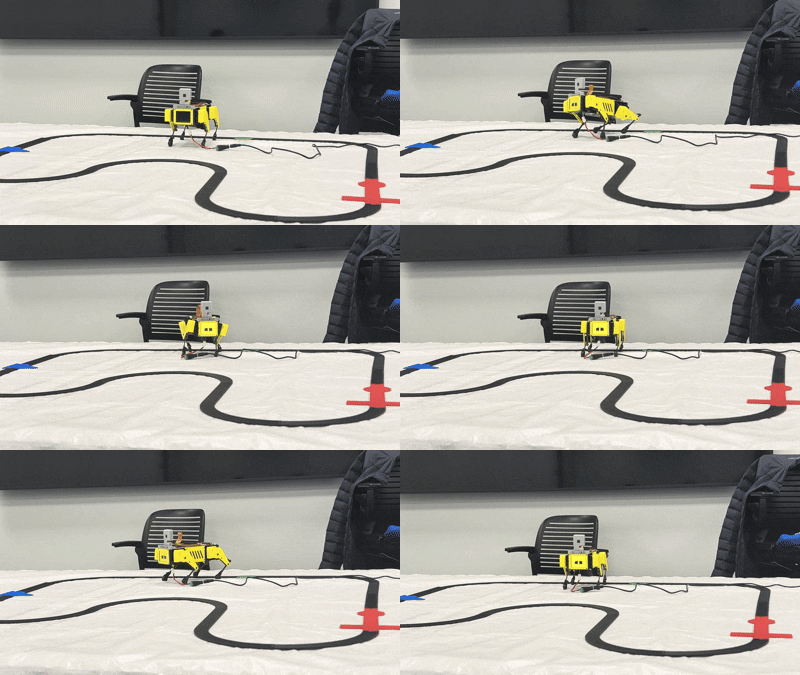
Setup: Starting the Jupyter Server
First, start the Jupyter server in a separate thread:
import threading
import subprocess, os

thread = None

def run_server():
    command = ["python", "JupyterServer.py"]
    path = os.getcwd()
    working_directory = os.path.abspath(os.path.join(path, os.pardir))
    result = subprocess.run(command, cwd=working_directory, capture_output=True, text=True)

def stop_server():
    if thread and thread.is_alive():
        try:
            thread.join()
        except Exception as e:
            print("Server shutdown failed:", e)

thread = threading.Thread(target=run_server)
thread.start()
Preparation: Import Modules and Set IP Address
import socket
from Command_Sender import SocketSender

def get_ip_address():
    hostname = socket.gethostname()
    ip_address = socket.gethostbyname(hostname)
    return ip_address

HOST = get_ip_address()
print("IP Address:", HOST)
Music Playback Function
import os
from playsound import playsound

def playmusic(file):
    os.system("amixer -c 0 sset 'Headphone' 100%")
    if len(file) > 1:
        playsound(file)
Level 1: Simple Movement APIs (Beginners)
These APIs enable your Mini Pupper to perform fixed simple movements without any parameters.
Available Level 1 APIs
| API | Description |
|---|---|
stop() | Stop all movement |
look_up() | Look upward |
look_down() | Look downward |
look_right() | Look to the right |
look_left() | Look to the left |
look_upperleft() | Look upper left |
look_upperright() | Look upper right |
look_rightlower() | Look lower right |
look_leftlower() | Look lower left |
move_forward() | Move forward |
move_backward() | Move backward |
move_right() | Move to the right |
move_left() | Move to the left |
move_leftfront() | Move diagonally left-front |
move_rightfront() | Move diagonally right-front |
move_leftback() | Move diagonally left-back |
move_rightback() | Move diagonally right-back |
Level 1 Example
# Define your action list
level1 = [
    "Move.look_right()",
    "Move.look_upperleft()",
    "Move.stop()"
]

import threading

# Create a thread to play music
file = '/home/ubuntu/minipupper/playlists/robot0.mp3'
thread2 = threading.Thread(target=playmusic, args=(file,))
thread2.start()

# Run your action list
sender = SocketSender(HOST, level1)
sender.command_dance()

# Stop the music playing thread
thread2.join()
thread2 = None
Level 2: Parameterized APIs (Makers)
Level 2 APIs allow you to control the scale of movements through input arguments like speed, acceleration, and angles.
Available Level 2 APIs
| API | Parameters | Description |
|---|---|---|
body_row(row_deg, time_uni, time_acc) | Roll angle, duration, acceleration time | Roll the body |
gait_uni(v_x, v_y, time_uni, time_acc) | X velocity, Y velocity, duration, acceleration | Uniform gait movement |
height_move(ht, time_uni, time_acc) | Height, duration, acceleration time | Change body height |
head_move(pitch_deg, yaw_deg, time_uni, time_acc) | Pitch angle, yaw angle, duration, acceleration | Move head |
foreleg_lift(leg_index, ht, time_uni, time_acc) | Leg (‘left’/’right’), height, duration, acceleration | Lift front leg |
backleg_lift(leg_index, ht, time_uni, time_acc) | Leg (‘left’/’right’), height, duration, acceleration | Lift back leg |
Understanding Time Parameters
time_uni: How long the pupper keeps the current state (hold time)time_acc: How long it takes to transition from the previous movement to this one
Level 2 Example
# Define your level 2 action list
level2 = [
    "Move.head_move(20, 0, 0.5, 0.5)",
    "Move.head_move(10, 25, 0, 0.25)",
    "Move.head_move(10, -25, 0, 0.5)",
    "Move.stop()",
    "Move.height_move(0.02, 1, 0.5)",
    "Move.gait_uni(0.3, 0)",
    "Move.stop()",
    "Move.foreleg_lift(leg_index='left', ht=0.03, time_uni=0.2, time_acc=0.5)",
    "Move.foreleg_lift(leg_index='right', ht=0.03, time_uni=0.2, time_acc=0.5)",
    "Move.stop()"
]

# Create a thread to play music
file = '/home/ubuntu/minipupper/playlists/robot0.mp3'
thread2 = threading.Thread(target=playmusic, args=(file,))
thread2.start()

# Run your action list
sender = SocketSender(HOST, level2)
sender.command_dance()

# Stop the music playing thread
thread2.join()
thread2 = None
Level 3: Advanced Control (Beyond)
Level 3 APIs allow explicit control of each leg’s location, speed, and orientation at different times, enabling complex movements.
Available Level 3 APIs
| API | Description |
|---|---|
body_cycle() | Perform a body cycling motion |
head_ellipse() | Move head in an elliptical pattern |
Level 3 Example
# Define your level 3 action list
level3 = [
    "Move.head_ellipse()",
    "Move.stop()"
]

# Run your action list
sender = SocketSender(HOST, level3)
sender.command_dance()
Coordinating Multiple Functions with Threads
To create a synchronized performance, you can run multiple functions (music, LCD display, dance movements) simultaneously using threads. This allows the Mini Pupper to play music, show images on the LCD, and dance all at the same time.
Thread Coordination Architecture
┌─────────────────────────────────────────────────────────┐
│                    Main Thread                          │
│  ┌─────────────┐ ┌─────────────┐ ┌─────────────┐       │
│  │ Music Thread│ │ LCD Thread  │ │ Dance Thread│       │
│  │ (playmusic) │ │ (play_lcd)  │ │ (dance_move)│       │
│  └──────┬──────┘ └──────┬──────┘ └──────┬──────┘       │
│         │               │               │               │
│         ▼               ▼               ▼               │
│    Play audio     Show images     Execute moves        │
│         │               │               │               │
│         └───────────────┴───────────────┘               │
│                         │                               │
│                    join() all                           │
└─────────────────────────────────────────────────────────┘
Complete Coordinated Dance Example
import threading
import time
import os
from playsound import playsound
from MangDang.mini_pupper.display import Display
from Command_Sender import SocketSender

# Global control flag
running = True

# ============ MUSIC FUNCTION ============
def playmusic(file):
    """Play music in a separate thread"""
    os.system("amixer -c 0 sset 'Headphone' 100%")
    if len(file) > 1:
        playsound(file)

# ============ LCD DISPLAY FUNCTION ============
def play_lcd(image_list, delay=2):
    """Cycle through images on LCD display"""
    global running
    disp = Display()
    index = 0
    while running and index < len(image_list):
        disp.show_image(image_list[index])
        time.sleep(delay)
        index += 1

# ============ DANCE FUNCTION ============
def dance_move(host, action_list):
    """Execute dance movements"""
    sender = SocketSender(host, action_list)
    sender.command_dance()

# ============ COORDINATED PERFORMANCE ============
def coordinated_dance():
    global running
    running = True

    # Define resources
    music_file = '/home/ubuntu/minipupper/playlists/robot0.mp3'
    images = [
        '/home/ubuntu/pic/pic1.png',
        '/home/ubuntu/pic/pic2.png',
        '/home/ubuntu/pic/pic3.png'
    ]
    dance_actions = [
        "Move.look_right()",
        "Move.look_upperleft()",
        "Move.head_move(20, 0, 0.5, 0.5)",
        "Move.foreleg_lift(leg_index='left', ht=0.03, time_uni=0.2, time_acc=0.5)",
        "Move.stop()"
    ]

    # Create threads for each function
    music_thread = threading.Thread(target=playmusic, args=(music_file,))
    lcd_thread = threading.Thread(target=play_lcd, args=(images, 2))
    dance_thread = threading.Thread(target=dance_move, args=(HOST, dance_actions))

    # Start all threads simultaneously
    music_thread.start()
    lcd_thread.start()
    dance_thread.start()

    # Wait for all threads to complete
    dance_thread.join()
    running = False  # Signal LCD thread to stop
    lcd_thread.join()
    music_thread.join()

    print("Coordinated performance complete!")

# Run the coordinated dance
coordinated_dance()
Thread Management Best Practices
-
Use a global flag for control: The
runningvariable allows you to stop long-running threads gracefully. -
Start threads together: Call
start()on all threads before anyjoin()to ensure they run concurrently. -
Join in the right order: Join the primary thread (dance) first, then signal others to stop.
-
Handle exceptions: Wrap thread targets in try-except blocks:
def safe_playmusic(file):
    try:
        playmusic(file)
    except Exception as e:
        print(f"Music error: {e}")
Synchronized Timing Example
For precise synchronization, use timestamps:
import time

def timed_dance(host, actions_with_timing):
    """Execute actions at specific times"""
    start_time = time.time()

    for action, target_time in actions_with_timing:
        # Wait until the target time
        current_time = time.time() - start_time
        if target_time > current_time:
            time.sleep(target_time - current_time)

        # Execute the action
        sender = SocketSender(host, [action])
        sender.command_dance()

# Actions with timing (action, seconds from start)
timed_actions = [
    ("Move.look_up()", 0.0),
    ("Move.look_right()", 1.5),
    ("Move.look_left()", 3.0),
    ("Move.foreleg_lift(leg_index='left', ht=0.03, time_uni=0.2, time_acc=0.5)", 4.5),
    ("Move.stop()", 6.0)
]
Event-Based Coordination
Use threading.Event for more precise synchronization:
import threading

# Create synchronization events
music_started = threading.Event()
dance_ready = threading.Event()

def playmusic_with_signal(file, event):
    os.system("amixer -c 0 sset 'Headphone' 100%")
    event.set()  # Signal that music is starting
    playsound(file)

def dance_on_signal(host, actions, event):
    event.wait()  # Wait for music to start
    sender = SocketSender(host, actions)
    sender.command_dance()

# Start music thread
music_thread = threading.Thread(
    target=playmusic_with_signal,
    args=(music_file, music_started)
)

# Start dance thread (waits for music)
dance_thread = threading.Thread(
    target=dance_on_signal,
    args=(HOST, dance_actions, music_started)
)

music_thread.start()
dance_thread.start()
Stopping Movement
To stop the current movement while it’s running:
sender.command_stop()
Stopping the Server
When you’re done, stop the Jupyter server:
stop_server()
Exercises
Exercise 1: Create a Greeting Sequence
Create a dance sequence that makes the Mini Pupper “greet” by:
- Looking up
- Nodding (look down then up)
- Waving a front leg
Exercise 2: Dance to Music
Create a choreographed dance that synchronizes with a music file. Consider:
- Timing movements to the beat
- Using different movement levels
- Adding pauses between movements
Exercise 3: Interactive Dance
Combine touch sensors (from Lab 4) with dance moves:
- Front touch: Move forward
- Back touch: Move backward
- Left touch: Look left and wave
- Right touch: Look right and wave
Exercise 4: Custom Movement Pattern
Using Level 2 APIs, create a smooth figure-8 head movement pattern by combining multiple head_move() commands with appropriate timing.
Troubleshooting
| Issue | Solution |
|---|---|
| Connection refused | Ensure JupyterServer.py is running |
| No response | Check IP address matches Mini Pupper’s IP |
| Music not playing | Verify audio file path and speaker volume |
| Movement not executing | Check if previous process is still running |
Summary
In this lab, you learned:
- How to set up the Jupyter server for dance control
- Level 1 APIs for simple predefined movements
- Level 2 APIs for parameterized movement control
- Level 3 APIs for advanced choreography
- How to synchronize music with dance movements
- How to stop movements and clean up resources
These APIs work on both Mini Pupper v1 and v2 versions.